At Sortly, we’re on a mission to make inventory and asset tracking as effortless as possible, so you can spend less time searching for items and more time building your business.
If your business uses inventory, parts, tools, or materials across multiple job sites or projects, it can be tough to tie your physical inventory to each job accurately. Manual inventory tracking or guesswork can lead to costly errors like over-purchasing, misplaced equipment, or sudden shortages. Particularly if your business has multiple active jobs, these issues can quickly lead to wasted time and sunken costs.
That’s why we are excited to introduce our latest feature: Jobs.
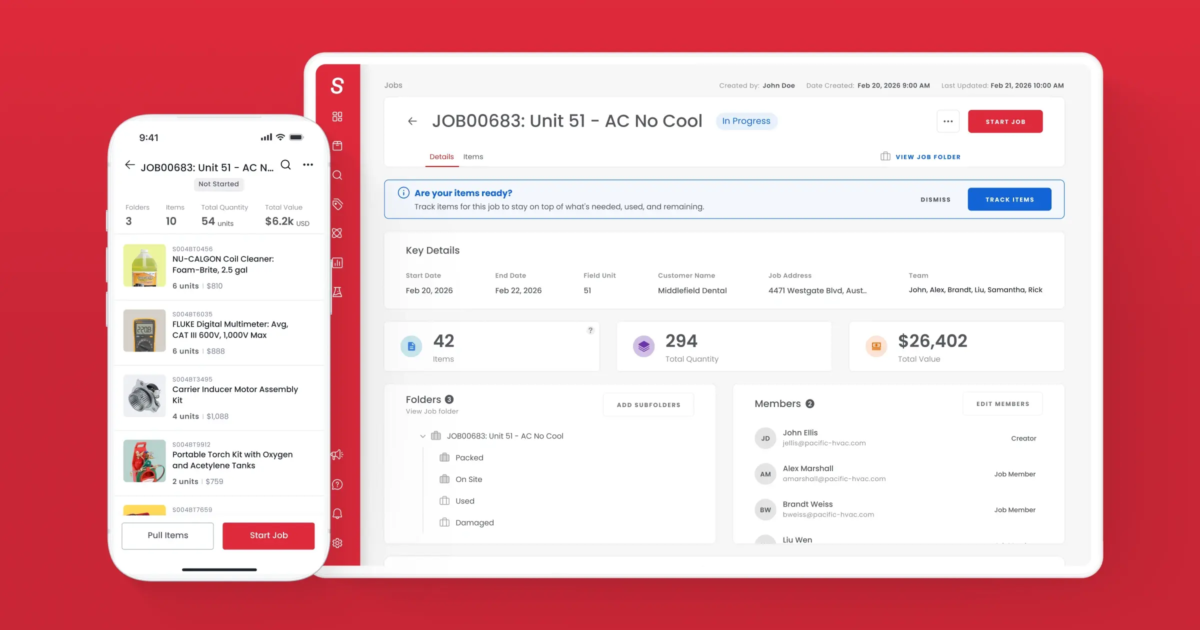
Jobs is a Sortly feature that lets you bring all the equipment, tools, and parts needed for a particular project or job into one centralized place. Simply assign the right items and people to the job and log exactly what was used or updated as work progresses. Jobs provides a trustworthy, job-level record that reduces unnecessary purchasing, prevents loss, keeps projects moving on schedule—and provides total visibility from the field to the office.
Why you’ll love using Jobs: key benefits
Here is how Sortly’s new Jobs feature empowers your entire organization:
- Manage job inventory from start to finish: Jobs gives you a single, organized hub for every physical asset and material tied to a specific work order or internal request. Manage every type of item your team will use—from tools and equipment to parts and supplies— in one unified view.
- Track every item on every job, your way: No two projects are alike. Whether you need to organize your jobs by project phase, crew leader, or status, you can customize the structure to match how your team naturally operates.
- Get field-level simplicity with operational structure: On-site crews and technicians get an easier way to track usage on the job. Meanwhile, operations managers gain the high-level oversight necessary to prevent double-purchasing, avoid delays, and protect their margins.
What Jobs looks like in action: real-life use cases
To show you how powerful this feature is, let’s look at how two different industries can use Jobs to save time and eliminate headaches.
1. Field services (e.g., HVAC, electrical, and plumbing)
Imagine you manage a commercial HVAC business. Today, your team is scheduled for a major AC installation at a local office building.
Before Jobs: Your technician fills their van with parts from the warehouse. They write down what they used on a piece of paper (or forget to entirely), leading to inaccurate inventory counts back at the warehouse and missing items during client billing.
With Jobs: Before the van leaves, the office manager creates a new job in Sortly titled “AC Install – 5th Ave Office”. They assign the necessary inventory to it: 1 Condenser unit, 40 feet of copper tubing, and specific HVAC specialized tool kits.
While on-site, the technician opens the Sortly app, reviews the Job, and updates the status to In Progress.
Once the work is done, they mark the Job as Complete, which instantly updates your inventory data in Sortly. You know exactly what materials were used for billing, and your warehouse manager knows precisely when those specialized tools are back in rotation.
2. Property management
If you handle maintenance and turns for a residential apartment complex or commercial real estate portfolio, coordinating multiple quick turnarounds can quickly get messy.
Before Jobs: A tenant moves out, and a unit needs a rapid turnover (paint, new blinds, light fixtures). You have to check multiple folders in Sortly to see if you have the materials, then manually coordinate with your handypeople.
With Jobs: You create a job called “Unit 304 Turnover”. You immediately allocate 2 gallons of matte white paint, 1 modern light fixture, and a toolkit directly to that job.
When your maintenance tech walks into Unit 304, they don’t have to guess what materials are theirs or search through a massive company database. They simply open the “Unit 304 Turnover” Job right from their phone, see the exact items assigned to them, complete the work, and mark the job done. This keeps your turnover timeline tight and your inventory perfectly reconciled.
How it works: 4 steps to using Jobs in Sortly
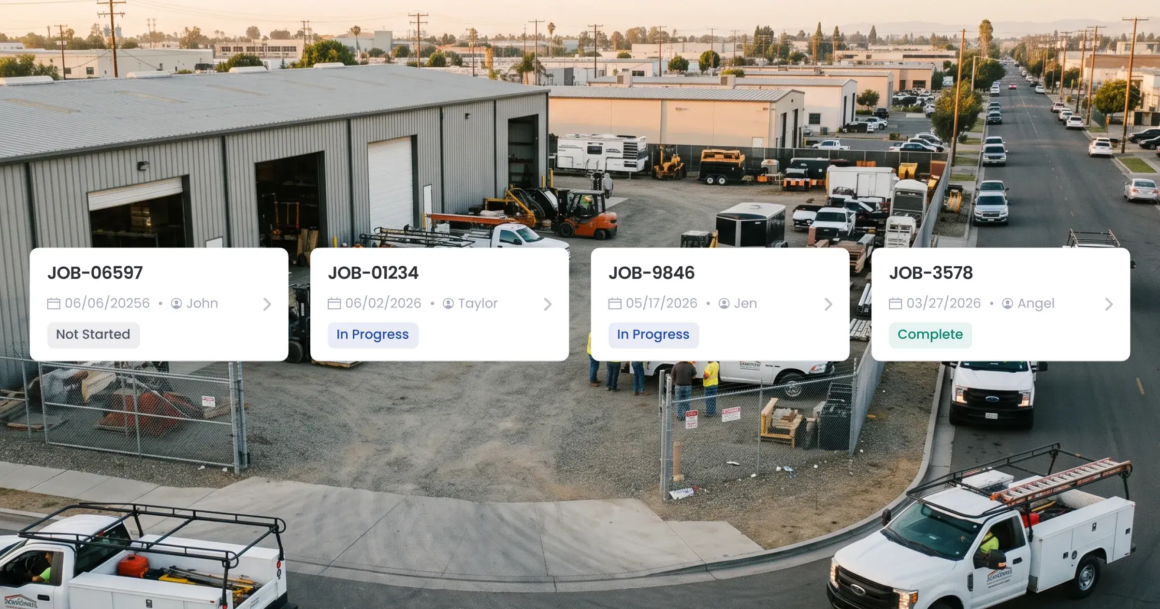
Ready to bring structure to your project inventory? Managing a job through its entire lifecycle is easy with Sortly’s new Jobs feature. Here’s how it works:
Step 1: Create the job in Sortly
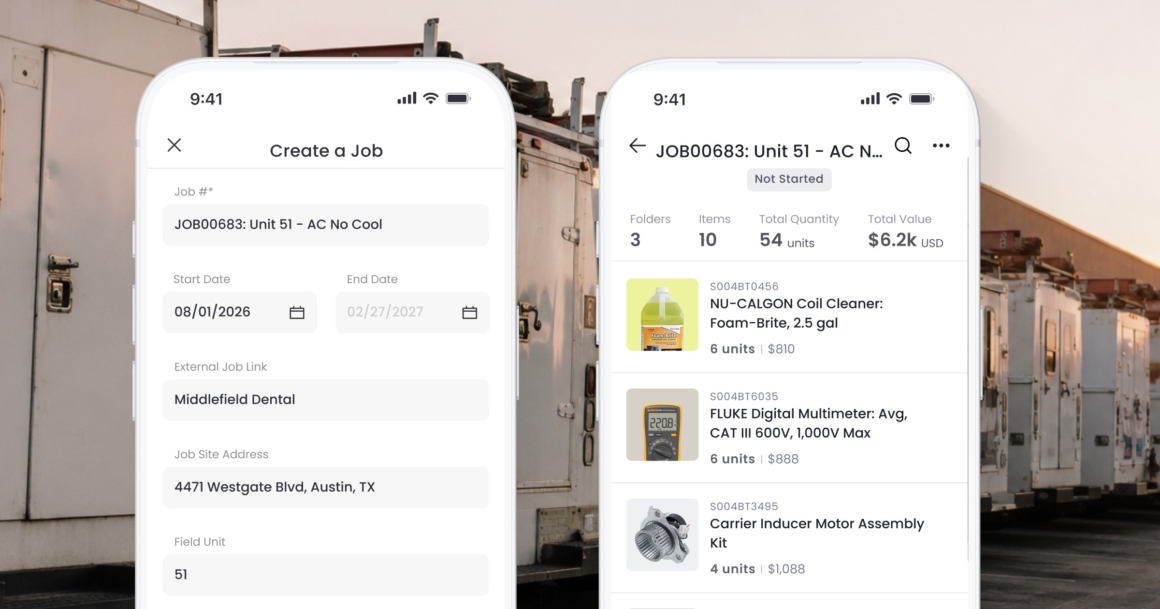
Start by entering your project details and organizing subfolders by status, crew, or work type to match how your team operates. Then, you can link- to your external ticketing, work order, or project management systems.
Step 2: Add items and assign team members
Select and transfer your items directly into the designated job container and designate team members to the job. This gives everyone instant visibility into exactly what materials have been set aside, sent to the site, or assigned to a specific employee.
Step 3: Log real-time updates from the field
As the work unfolds, field techs and warehouse personnel use their mobile devices to log quantity changes, transfer items, or tool returns on the spot—right from the Sortly app. Because updates happen live, you won’t have to worry about missing details or memory lapses days later.
Step 4: Close out the job
When the work wraps up, closing out the job locks the history down. This leaves your company with an unalterable, reliable audit trail of precisely who pulled, used, or brought back every single item—giving you the insights you need to optimize your next project.
Take total control of your project inventory with Sortly
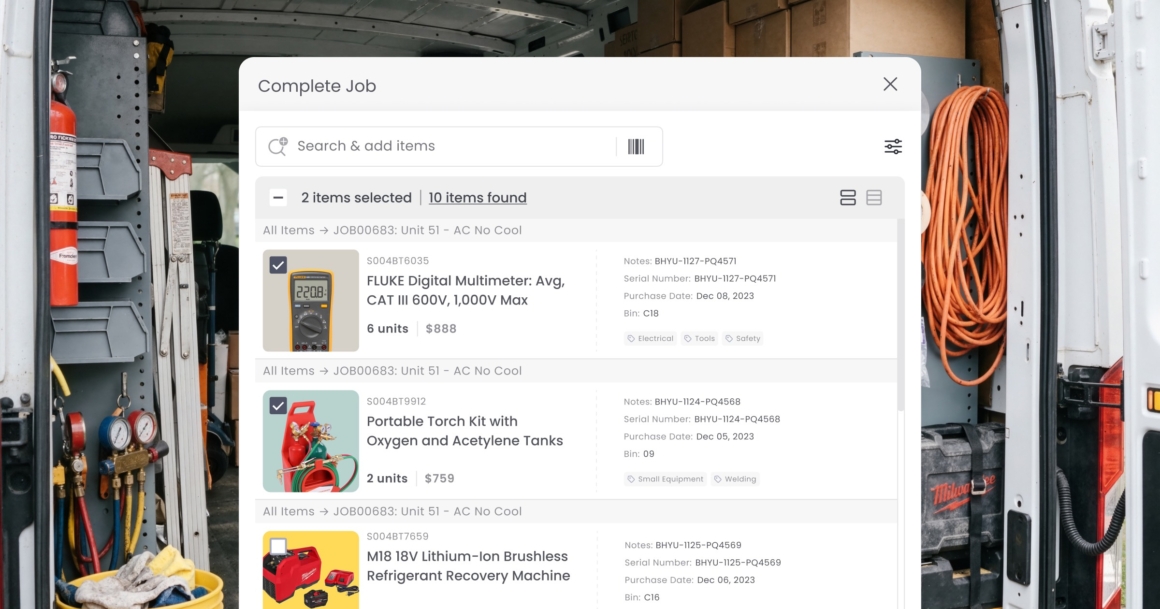
The Jobs feature is designed to bring an entirely new level of context and control to your physical operations. By further bridging the gap between your inventory and your daily tasks, your team can complete jobs on time and on budget.
Jobs is the perfect addition to Sortly’s powerful capabilities. Our easy inventory management app is already packed with intuitive, field-ready features that simplify inventory management across locations. From instant mobile barcode and QR code scanning to automated low stock alerts and visual inventory tracking, Sortly gives your team everything they need to manage supplies from anywhere—whether they are at a desk, in a warehouse, or out on a job site. With the addition of Jobs, tracking your inventory from start to finish has never been easier.
Want to see how Jobs can work for your next project? Try Sortly free for 14 days.