



Track Every Item on Every Job
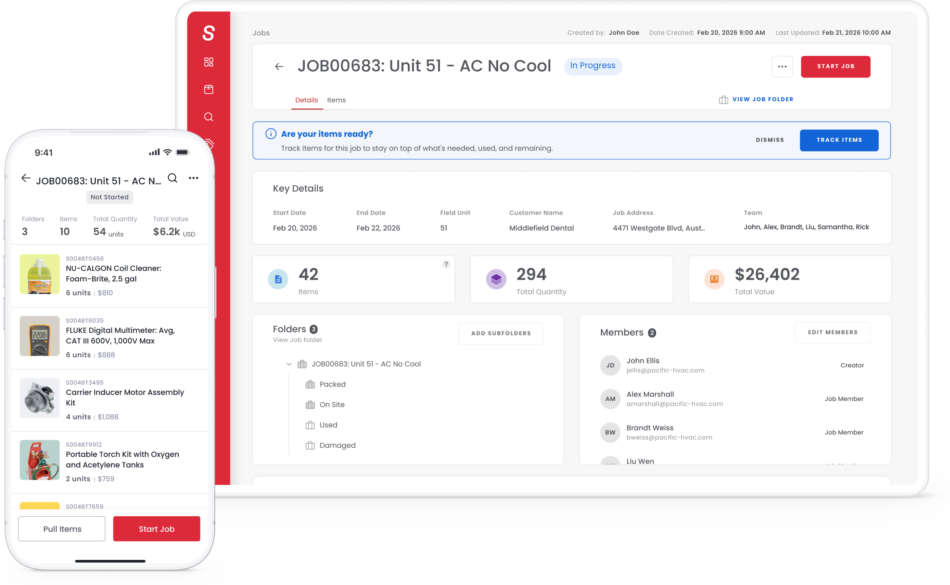
Our Jobs feature lets you track every item tied to a job, project, work order, ticket, or request in one structured place.
-
Job-Level Inventory Tracking That Fits the Way Your Team Works
Jobs helps teams connect inventory, tools, equipment, materials, supplies, parts, and assets to the work they support. Instead of tracking job-related items across folders, notes, messages, or memory, teams can manage what goes out, what gets used, what comes back, and what changes in one flexible workflow.
-
Keep Job Items in One Place
Bring together every item tied to a job, project, work order, ticket, event, or internal request. See what items belong to the job, who’s assigned to it, what’s moved or been updated, and what still needs attention in one clear view.
-
Organize Jobs Your Way
Set up each job around how your team actually manages items, whether that’s by project ID, phase, room, location, crew, status, or any other combination. Create default subfolders to make common job setups easier to repeat, review, and trust.
-
Track Every Type of Item Together
Manage the full mix of items a job depends on, from tools and equipment to materials, parts, supplies, consumables, and assets. No rigid item categories. No separate systems.
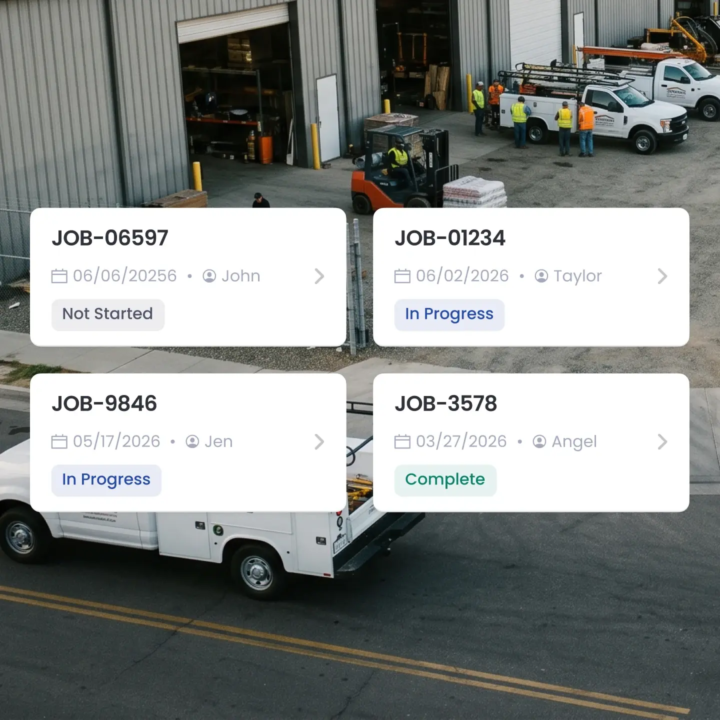
How to Manage Job Inventory from Start to Finish with Jobs
-
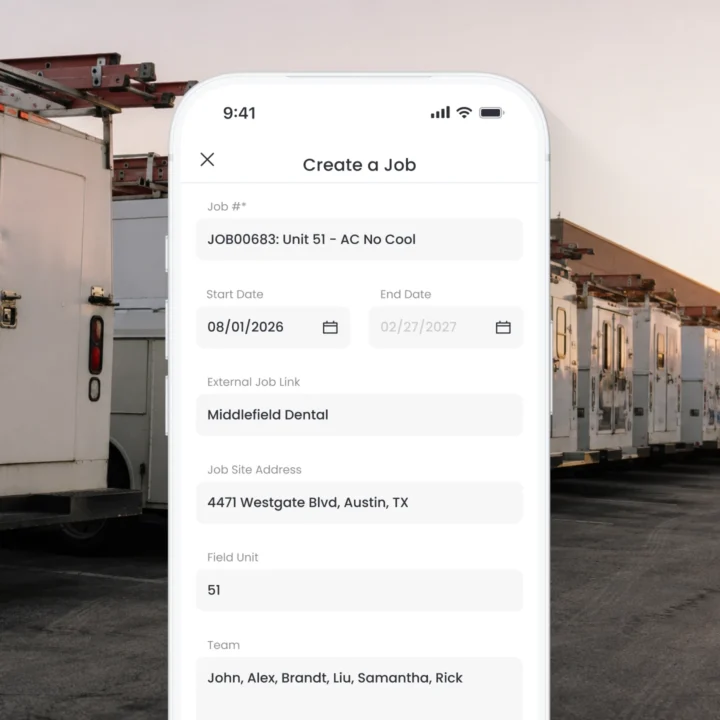
1. Create the Job
Capture the job details your team needs, assign members, and add an optional link back to the work order, project, ticket, or source system where the job began.
-
2. Pull Items Into the Job
Move items into the job so everyone can see what has been allocated, staged, sent, installed, consumed, or assigned.
-
3. Update on Mobile as the Job Progresses
Field and warehouse teams can update quantities, change statuses, move items, and return unused inventory while the work is happening, not days later when details are missing. When items come back, Sortly can prefill the return location to make returns faster and easier to complete.
-
4. Close Out with a Record Your Team Can Trust
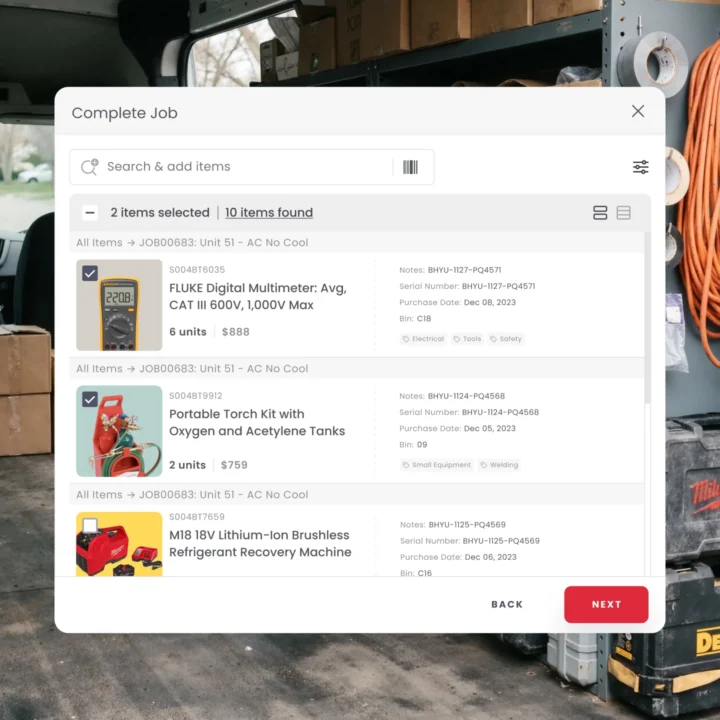
Close out each job with a clear record of what was pulled, used, returned, or changed. Completed jobs stay protected from accidental changes, while admins and owners can reopen them when corrections are needed.
-
5. Review Job and Item Usage
Use Jobs Reports to see how items were used over time and understand which jobs each item supported. Drill into transaction details to support reconciliation, billing review, and future planning.
Simple Enough for the Field. Structured Enough for Operations.
-
Jobs is built for the teams who keep inventory moving, from the office to the warehouse to the field.
-
Field and warehouse teams get a simple, mobile way to keep job inventory updated, even when connectivity drops, so changes are captured when and where they happen.
-
Managers and operations teams get the visibility, reporting, and control to reduce unnecessary purchasing, prevent lost or stranded items, support cleaner billing review, and keep work moving on schedule.
Top Sortly Features
Our powerful features help you organize, track, and manage inventory with ease.

Mobile & Offline Access
Use Sortly on your smartphone or tablet to track and update inventory from anywhere—even when connectivity drops.
Low Stock Alerts
Get notified when an item is running low so you always re-order the right amount.
Barcode & QR Scanning
Scan barcodes from your smartphone to instantly add, update, and manage your items with greater speed and accuracy.
Label Generation
Create and print custom barcode labels from Sortly—perfect for checking equipment and tools in and out.
Customizable User Access
Control who from your team can view, edit, and update inventory in Sortly.
Item Photos
Track the appearance and condition of your items over time by adding photos to item entries.
Reports
Monitor inventory history and data, activity history, and user actions with customizable reporting.
Custom Folders & Fields
Organize inventory with custom folders and subfolders that fit your business, and track important item details with custom fields.
Integrations
Speed up processes and save time by integrating Sortly with your favorite platforms.
Pick Lists
Create a pick list to ensure your team grabs the right items from your inventory, every time.
Stock Counts
Create, assign, and track stock counts with a guided workflow that makes it easier to maintain accurate inventory.
Purchase Orders
Create purchase orders using your inventory details to simplify reordering and keep purchasing connected to your inventory.The availability of features varies by plan. Visit our pricing page for details.
Ready to take control of your job inventory?
Learn how Sortly helps your team track what goes to every job, what gets used, what comes back, and what changes along the way.