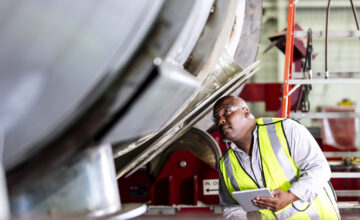
Asset visibility starts to break down the moment work happens across multiple locations, job sites, or facilities. When updates only happen back at a desk or within spreadsheets that only one person can access, information quickly becomes outdated. That’s when teams lose track of what they have, where it is, and who’s using it.
Mobile asset management solves this by giving teams the ability to view, update, and manage asset information directly from the field using smartphones and tablets, not just desktops and laptops. With real-time data flowing from the job site to devices, teams can streamline workflows, reduce downtime, and keep asset locations accurate without relying on manual logs or memory.
In this guide, we’ll cover what mobile asset management is, how mobile asset tracking works, the key features to look for, and how to roll it out successfully across your operations.
What is mobile asset management?
Mobile asset management is the ability to track, update, and manage physical assets using a mobile app on smartphones or tablets. Instead of depending on desktop-only systems, teams can access asset information from anywhere work happens.
What is mobile asset management?
Mobile asset tracking is a core part of mobile asset management. It allows teams to see asset locations, confirm availability, and update asset data in real time. Modern mobile asset management software also supports automation, cloud-based connectivity, and seamless integrations with other software solutions like ERP systems, procurement tools, or IT asset management platforms.
At its core, mobile asset management helps teams reliably answer:
- What physical assets do we have?
- Where is each asset’s location?
- Who has it?
- What is the asset’s life or lifecycle stage?
This clarity supports better decision-making, reduces operational costs, and improves asset performance across the entire asset management process.
Why is mobile asset management important for inventory managers and field teams?
Mobile access directly addresses everyday challenges like:
- Missing tools or equipment due to outdated information
- Unclear ownership when assets move between field technicians or job sites
- Delays and downtime caused by incomplete or inaccurate asset data
- Duplicate purchases when teams can’t confirm what’s already available
With mobile asset management solutions in place, teams benefit from:
- Less time spent searching for tools or equipment
- Fewer unnecessary purchases thanks to accurate real-time data
- Faster job completion with up-to-date asset information
- Better accountability across sites, teams, and service providers
These improvements help optimize business processes and support data-driven decisions across operations.
How does mobile asset tracking work?
Mobile asset tracking allows teams to use a mobile application to view, update, and confirm asset details while on the job. Instead of waiting to update records later (or relying on memory), teams can make changes the moment something is checked out, moved, or used.
Common mobile asset tracking tasks include:
- Checking whether an asset is available
- Updating asset locations
- Assigning responsibility to a team member
- Changing an asset’s status (in use, under repair, available)
- Scanning barcodes or QR codes to pull up asset details instantly
- Reviewing maintenance schedules or work orders in the field
Because mobile asset tracking software is designed to be user-friendly, teams can start using it quickly without complicated setup or training. And it’s a good fit for remote operations too, since dashboards bring data and transparency to all teams, not just those on site.
Essential features of mobile asset tracking systems
To keep asset information accurate and usable while work is happening, teams need tools that support real-time updates, simple workflows, and clear visibility.
Mobile access for real-time updates from anywhere
Teams should be able to:
- View asset information from their mobile devices
- Update locations, status, and assignments on the spot
- Confirm availability without returning to a desk
This real-time functionality ensures information stays current as work happens.
Clear visibility into asset location and status
A strong mobile asset tracking system helps teams quickly answer:
- Where is this asset stored?
- Which site or location does it belong to?
- Who is responsible for it right now?
This visibility reduces confusion, downtime, and unnecessary back-and-forth.
Barcode scanning for faster, more accurate tracking
Scanning eliminates manual data entry and speeds up tasks like:
- Checking assets in and out
- Updating locations
- Verifying asset details
- Reducing data entry errors
Some teams also use RFID or asset tags to automate tracking even further.
Activity history and updates for accountability
A simple, accessible activity log helps teams:
- See recent movements or updates
- Resolve issues quickly
- Identify patterns, such as frequently misplaced items
- Maintain accountability without extra reporting
Dashboards and notifications can also help managers stay aware of changes in real time.
This easy, comprehensive guide will help you:
Free Ebook: The Complete Guide to Barcoding Your Inventory
How to successfully set up mobile asset tracking in your operations
A successful rollout doesn’t require a perfect setup on day one. Instead, focus on clarity, consistency, and making updates easy for field and inventory teams.
Step 1: Define what problems mobile tracking will solve
Start by identifying the issues mobile tracking should address, such as:
- Missing or misplaced tools
- Unclear ownership
- Outdated locations
- Delays caused by incomplete information
Begin with assets that move frequently or cause the most disruption when unavailable. Define success as being able to reliably answer: what do we have, where is it, and who has it?
Step 2: Design a mobile-first tracking structure
Create a structure that mirrors how assets are organized in real life. For example, consider organizing by:
- Sites
- Rooms
- Vehicles
- Departments
Decide which details should be updated from the field—such as location, status, or user—and keep the setup intuitive so updates are quick and consistent.
Step 3: Enable fast, consistent updates from the field
Make updates easy by:
- Using barcode or QR code scanning instead of manual entry
- Standardizing when updates happen (check-outs, transfers, job completion)
- Prioritizing speed and consistency over perfect data
Automation can help streamline updates and reduce manual work.
Step 4: Reinforce accountability without adding friction
Use activity history to create shared visibility into asset movement. Clarify who is responsible for keeping information current, but avoid adding approval steps or extra reporting. Accountability should feel like transparency, not enforcement.
Step 5: Review, refine, and expand usage over time
Schedule simple check-ins to confirm accuracy and identify gaps. Adjust folders, required fields, or workflows based on how teams actually use the system. Expand tracking to more assets, teams, or locations as adoption grows.
And, at least twice a year, update the standard operating procedure (SOP) to match the latest best practices.
Why Sortly for mobile asset management?
Mobile asset management should improve access, visibility, and accuracy across your operations. The best systems fit naturally into daily work, especially for field technicians and inventory managers who need quick, reliable information.
Sortly inventory software helps you:
- Track assets from any device, any location: Turn any mobile device into an asset tracker with our easy app, available on Android and iOS.
- Eliminate manual entry errors: Use instant barcode and QR scanning to update records in seconds, not minutes.
- Make decisions with confidence: Access a single source of truth with real-time, cloud-based data that reflects your current stock levels instantly.
- Total accountability: Gain full oversight of your assets with detailed location tracking and user history, so you always know who has what and where it’s going.
Sortly helps teams like yours stay organized, optimize asset performance, and keep work moving—no matter where it happens. If you’re looking for a simpler way to track assets from anywhere, start your two-week free trial of Sortly today.