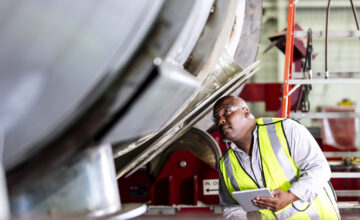
Fixed asset tracking is more than just knowing where equipment is. When properly implemented, fixed asset tracking helps protect budgets, keeps businesses audit‑ready, and keeps daily operations running smoothly without relying on spreadsheets or manual data entry.
After all, when teams don’t have a reliable way to track high‑value assets, it becomes harder to prevent loss, plan maintenance, or understand what equipment is available when it’s needed.
Fortunately, modern fixed asset tracking software gives organizations real‑time visibility into asset data, asset lifecycle stages, and key details like condition, value, and assignment. This guide explains what fixed asset management software does, how it helps teams streamline workflows, and the best software solutions to consider.
What is fixed asset tracking software?
Instead of relying on cluttered spreadsheets or manual logs, this cloud-based software provides a single source of truth for an asset’s entire lifecycle. It allows teams to efficiently manage:
- Location: Knowing exactly where tools or vehicles are stationed.
- Condition: Tracking maintenance schedules and repair history.
- Value: Calculating depreciation and current financial worth.
- Usage: Monitoring who is using the equipment and for how long.
By automating these details, organizations replace human error with accurate, real-time data that is always audit-ready. It improves accountability and gives teams a reliable, real‑time view of every asset they manage across locations.
How can fixed asset tracking software save money and improve efficiency?
Fixed asset tracking software helps organizations reduce loss, improve accountability, and streamline daily operations. Here’s how:
- Less asset loss and shrinkage. Clear records help teams track who has what, reducing misplaced or unreturned assets.
- Better maintenance planning. Automated, date‑based reminders help teams service equipment before it breaks, reducing downtime and emergency repairs while saving money in the long run.
- Smoother, faster audits. Accurate records, audit trails, and item histories make audit prep faster and less stressful. Barcodes and QR codes speed these up even more, and slash the risk of human error too.
- More efficient workflows. Teams spend less time searching for equipment and more time on important tasks.
- Improved financial visibility. Tracking value, warranties, and asset depreciation helps organizations make better decisions about budgets, replacements, and utilization.
For inventory managers and anyone else managing assets, these improvements mean fewer surprise purchases, better budget control, and more predictable operations.
This easy, comprehensive guide will help you:
Free Ebook: The Complete Guide to Barcoding Your Inventory
The 5 best fixed asset tracking software solutions in 2026
Below are five popular software solutions that help teams manage equipment, tools, and other high‑value assets across locations. Each option offers different functionalities, pricing structures, and workflows, so the best fit depends on your organization’s needs.
Sortly
Overview
Sortly is an easy-to-use asset tracking solution built for teams that prioritize immediate results over complex setups. By eliminating technical barriers, Sortly allows you to transition from messy manual logs to an intuitive, visual system in minutes. In other words, it’s a fixed asset management system your team will actually use.
Whether you are managing shared equipment or tracking assets across multiple job sites and warehouses, Sortly provides real-time visibility into your inventory and assets across all locations. The result is a more accountable workplace where everyone—regardless of technical skill—can maintain perfect records on the go.
Selected features
- Mobile Check-In/Out: Instantly assign items to team members to ensure accountability and reduce equipment loss.
- Barcode & QR Scanning: Scan items via smartphone for faster, more accurate updates in the field.
- Asset Photos: Easily attach asset photos to visually track an item’s condition or appearance.
- Automated Reminders: Set date-based alerts for maintenance or renewals to prevent costly downtime and safety lapses.
- Activity History: Access comprehensive audit trails to maintain transparency and compliance.
- Multi-Location Visibility: Sync data across all sites to track asset location and value in one real-time view.
Considerations
- Not currently RFID compatible
- Since it’s a standalone solution, you’ll need an API to get data flowing into a legacy ERP
What customers say
“Sortly has assisted us in many ways, including minimizing costs, reducing time needed to manage our inventory, giving us the ability to quickly view our current inventory status, and greatly reducing paperwork.” – Keith R., Capterra
“I haven’t been able to find anything else as user-friendly or simple to see my inventory on hand.” – Rosie B., Capterra
Asset Panda
Overview
Asset Panda is a fixed asset management solution with customizable workflows and a wide range of configuration options. It’s suited for organizations that need detailed control over asset data and processes.
Selected features
- Customizable asset fields
- Mobile app with barcoding
- Audit trails and user permissions
- Maintenance tracking
- Reporting dashboards
Considerations
- Setup can be time‑consuming
- Interface may feel complex for non‑technical users
EZOfficeInventory
Overview
EZOfficeInventory focuses on equipment tracking, maintenance management, and asset lifecycle visibility. It’s a strong option for organizations with large equipment inventories or recurring service needs.
Selected features
- Check‑in/check‑out workflows
- Maintenance scheduling
- Barcode, QR code, and RFID support
- Service history tracking
- Custom reports
Considerations
- Some modules require higher‑tier plans
- Interface can feel dense for smaller teams
UpKeep
Overview
UpKeep is a mobile‑first maintenance management platform that includes asset tracking capabilities. It’s ideal for teams that prioritize preventive maintenance and work order management.
Selected features
- Work order creation and tracking
- Preventive maintenance scheduling
- Asset histories
- Mobile apps for field teams
- Reporting dashboards
Considerations
- More focused on maintenance than fixed asset tracking
- May be more than some administrative teams need
ManageEngine AssetExplorer
Overview
AssetExplorer is an IT asset management system designed for organizations that need to track hardware, software, and network assets. It’s best suited for IT teams with more technical requirements.
Selected features
- Hardware and software tracking
- License management
- Network discovery
- Asset lifecycle management
- Financial reporting tools
Considerations
- Designed primarily for IT teams
- More complex setup and configuration
What are the top features to look for in fixed asset tracking software?
While every business has different needs, there are some key features to look for when selecting asset tracking software. They include the ability to:
Able to track unique asset details
A robust system captures the entire lifecycle of an asset in one place, replacing cluttered spreadsheets with a single source of truth. By centralizing details like location, warranty, value, and current status, teams can automate workflows and eliminate manual data entry. Sortly’s custom fields allow you to create your own unique detail categories to track outside of the standard fields, further supporting the custom details you might need to track about your fixed assets.
Barcode and QR code scanning for quicker updates
Scanning makes it faster to update records, complete audits, and reduce manual entry errors. Mobile barcoding & QR coding makes “on-the-go” operations better, especially when smartphones and tablets serve as scanners, and it’s easy to generate custom codes for unlabeled assets or supplies.
Date‑based alerts for asset maintenance
Automated alerts help teams stay ahead of service schedules and prevent unexpected downtime. You should be able to customize notifications for upcoming maintenance and expiration dates that’ll save you time, money, and stress later.
Easily attach asset photos
Inventory photos help teams visually confirm item appearance and condition for optimal accuracy. The benefits of visual inventory are many, but chiefly, visual inventory helps team members “see” what words, codes, and columns can’t tell them. Pictures are also especially helpful for hard-to-reach items or assets whose condition or appearance is important.
Activity and item history for accountability
Asset tracking software should include a digital trail for every item, capturing exactly who accessed or updated an asset and when. By maintaining these records, organizations eliminate the risk of human error, ensuring a single source of truth for internal accountability. This transparency discourages equipment loss and ensures the team is always audit-ready.
How do you implement fixed asset tracking software successfully?
Here’s how to begin in four steps:
Assess your organization’s asset tracking needs
Identify which assets you need to track, where they’re located, and who uses them. Consider whether you need features like depreciation software, custom reporting, or integrations with accounting software or ERP systems.
Choose the right fixed asset tracking solution
Look for a provider that matches your workflows, or that makes customizations simple. Consider ease of use, mobile device support, cloud‑based access, and the functionalities your team will actually use.
Get your team set up and connected to existing tools
Import existing asset inventories, set up locations, and connect barcode scanners or mobile devices. Some tools, including Sortly, offer templates to help you bulk-upload your assets and inventory from an existing spreadsheet directly into the system.
Establish clear ownership for keeping asset records up to date
Define who is responsible for updates and keep processes simple so they fit into daily work. Clear ownership helps maintain accurate records and reduces the risk of outdated asset data.
Start tracking your fixed assets with Sortly
If you’re ready to eliminate equipment loss, simplify your audit season, and gain total visibility into your organization’s physical footprint, Sortly is the solution. Designed for teams that value efficiency over bureaucracy, the app allows you to implement professional-grade tracking—complete with built-in barcode scanning, custom alerts, and visual asset tracking—without the steep learning curve of traditional software. Stop guessing where your assets are and start managing them with confidence.
Ready to see the difference for yourself? Start your two‑week free trial of Sortly today.